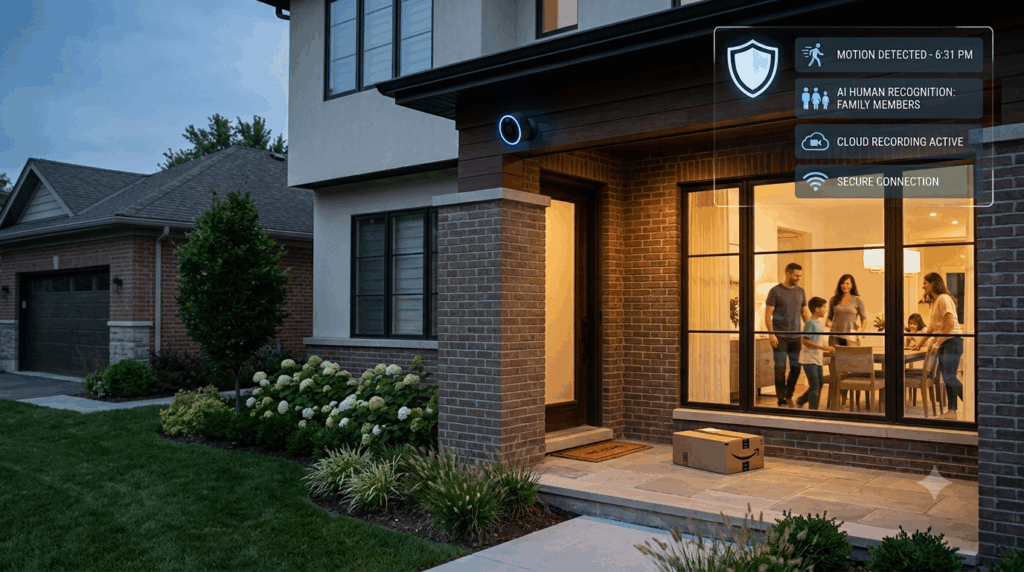
Protecting your property today requires more than simply recording video after an incident has occurred. Modern Motion Detection Surveillance systems actively identify suspicious activity, send instant alerts, and help stop security threats before they escalate. Whether you’re protecting your home or business, Complete Protection Solutions provides advanced surveillance technologies that combine intelligent motion detection, live monitoring, and high-definition video recording to deliver reliable security around the clock.
From Motion Detection Security System technology to Monitored Surveillance Cameras in Colorado Springs, CO, today’s surveillance solutions provide faster response times, fewer false alarms, and greater peace of mind. This comprehensive guide explains how these systems work, their benefits, the installation process, costs, and how to choose the best solution for your property.
What Is Motion Detection Surveillance?
Motion Detection Surveillance is a modern security solution that uses intelligent sensors, AI-powered cameras, and real-time monitoring to detect movement, verify potential threats, and immediately notify property owners or professional monitoring centers. Unlike traditional CCTV systems that simply record footage, motion detection surveillance actively helps prevent crime by delivering instant alerts and enabling rapid emergency response.
Why Motion Detection Surveillance Is Essential in 2026
Security threats continue to evolve, making traditional surveillance systems less effective on their own. Modern surveillance systems are designed to detect unusual activity, reduce false alarms, and provide immediate notifications when potential threats occur.
Benefits include:
- Real-time intrusion detection
- Faster emergency response
- 24/7 property protection
- Remote access from smartphones
- High-definition video evidence
- Reduced false alarms
- Smart home integration
- Enhanced safety for homes and businesses
Whether protecting a residential property or a commercial facility, intelligent surveillance technology offers a proactive approach to security.
How Motion Detection Surveillance Works
Unlike conventional security cameras that continuously record everything, motion detection systems focus on identifying meaningful activity.
The process typically follows these steps:
- Motion sensors monitor designated areas.
- A person, vehicle, or object enters the detection zone.
- AI software analyzes the movement.
- The system determines whether the activity represents a genuine security threat.
- Real-time surveillance alerts are sent instantly.
- Professional monitoring personnel verify the event.
- Emergency responders are contacted if necessary.
This layered approach significantly improves security while minimizing unnecessary notifications.
Understanding Motion Detection Security Systems
A Motion Detection Security System combines several technologies into one integrated solution.
Core components include:
- Motion sensors
- Security cameras
- Video recorders
- Smart alarms
- Mobile applications
- Cloud storage
- Professional monitoring
Together, these components provide continuous protection while allowing property owners to monitor activity from virtually anywhere.
Types of Motion Detection Technology
Different sensor technologies are used depending on the property’s security requirements.
Passive Infrared (PIR) Sensors
Passive Infrared sensors are among the most common motion detectors.
They work by detecting changes in infrared heat energy produced by:
- People
- Animals
- Vehicles
When a warm object moves through the detection area, the sensor triggers an alert.
Advantages
- Energy efficient
- Highly reliable
- Affordable
- Ideal for residential properties
Best Applications
- Entryways
- Hallways
- Driveways
- Garages
- Front porches
Microwave Motion Sensors
Microwave sensors continuously emit radio waves. When those waves are disrupted by movement, the system detects the change and generates an alert.
Advantages include:
- Larger detection range
- Better outdoor performance
- Greater sensitivity
- Ability to detect movement through certain materials
These sensors are often used in commercial environments.
Dual-Technology Sensors
Many high-end security systems combine PIR and microwave technologies. The alarm activates only when both sensors detect movement simultaneously.
Benefits include:
- Fewer false alarms
- Greater accuracy
- Improved outdoor reliability
- Enhanced security
Dual-technology sensors are particularly effective in areas exposed to weather, wildlife, or frequent environmental changes.
AI-Powered Smart Motion Sensors
Modern Smart Motion Sensors use artificial intelligence to distinguish between:
- People
- Vehicles
- Animals
- Falling leaves
- Rain
- Shadows
This intelligent analysis dramatically reduces nuisance alerts while improving overall security performance.
Components of a Modern Video Surveillance System
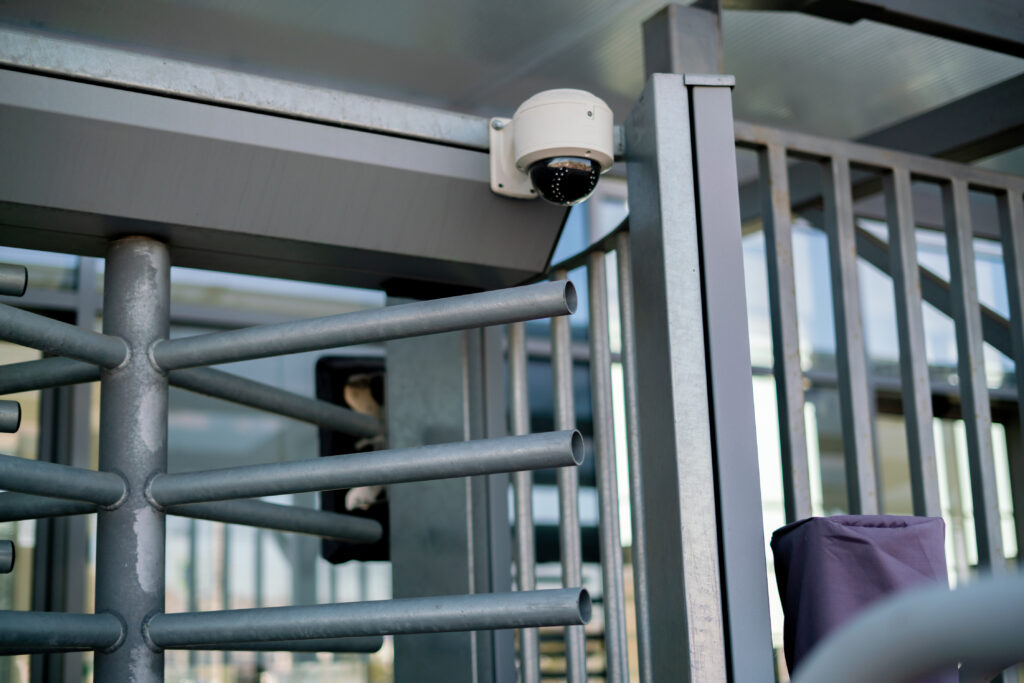
Today’s Video Surveillance System includes much more than security cameras.
A complete system typically consists of:
- High-definition cameras
- Motion detectors
- Network Video Recorder (NVR)
- Cloud storage
- Mobile application
- Professional monitoring service
- Backup power supply
- Internet connectivity
These components work together to provide comprehensive property protection.
Motion Activated Security Cameras
A Motion Activated Security Camera records only when activity is detected.
Compared to continuous recording, motion activation offers several advantages:
- Conserves storage space
- Makes reviewing footage easier
- Sends immediate alerts
- Extends equipment lifespan
- Improves event tracking
These cameras are ideal for:
- Homes
- Retail stores
- Warehouses
- Offices
- Apartment complexes
Wired vs. Wireless Security Cameras
Choosing the right camera depends on your property’s layout and security needs.
| Wired Cameras | Wireless Security Cameras |
| Stable connection | Easy installation |
| Reliable long-term performance | Flexible placement |
| Ideal for large commercial buildings | Excellent for homes |
| Requires cabling | Operates using Wi-Fi |
| Lower interference risk | Faster installation |
Both options provide excellent security when professionally installed.
Benefits of 24/7 Surveillance Monitoring
Installing cameras is only one part of an effective security strategy. Professional 24/7 Surveillance Monitoring provides continuous oversight by trained security personnel.
Key benefits include:
Immediate Threat Verification: Monitoring professionals review alerts before contacting emergency responders, reducing unnecessary dispatches.
Faster Emergency Response: Verified alarms help emergency services prioritize genuine threats.
Reduced False Alarms: AI analytics combined with human verification significantly improve alert accuracy.
Continuous Property Protection: Even while you’re sleeping, traveling, or at work, your property remains monitored.
Greater Peace of Mind: Knowing experienced professionals are monitoring your property provides confidence that potential threats will be addressed promptly.
Why Homeowners Are Upgrading to Smart Home Security Systems
Traditional alarm systems are rapidly being replaced by integrated Smart Home Security System technology.
Modern systems allow users to:
- View live camera feeds
- Lock and unlock doors
- Receive instant notifications
- Control lighting
- Monitor visitors
- Arm or disarm alarms remotely
- Integrate voice assistants
- Automate security routines
Everything can be managed through a single smartphone application.
Motion Sensor Alarm Systems
A Motion Sensor Alarm System combines motion detection with audible alarms, mobile alerts, and professional monitoring.
These systems may activate:
- Indoor sirens
- Outdoor sirens
- Flashing lights
- Push notifications
- Emergency dispatch requests
- Live monitoring alerts
This multi-layered response helps deter intruders before property damage occurs.
How Much Does a Motion Detection Surveillance System Cost in 2026?
One of the first questions homeowners and business owners ask is, “How much does a Motion Detection Surveillance system cost?” The answer depends on the size of your property, the number of cameras, storage options, monitoring services, and the level of smart technology you choose.
Basic home security systems with a few cameras are generally more affordable, while commercial surveillance networks with AI-powered analytics and professional monitoring require a larger investment. Although the upfront cost may vary, a professionally installed system helps reduce theft, vandalism, liability, and long-term property losses.
Average Motion Detection Surveillance Costs (2026)
| Security System | Average Cost |
| Indoor Motion Detection Camera | $150–$500 |
| Outdoor Motion Activated Security Camera | $250–$900 |
| Smart Motion Sensors | $50–$250 each |
| Video Doorbell Camera | $150–$400 |
| Network Video Recorder (NVR) | $300–$1,200 |
| Security Camera Installation | $300–$2,000 |
| Professional Monitoring | $20–$70 per month |
| Complete Residential Security System | $1,200–$5,000+ |
| Commercial Surveillance System | $5,000–$25,000+ |
Actual costs vary depending on property size, equipment, and installation requirements.
What Affects the Cost of a Surveillance System?
Several factors determine the final investment.
Property Size
Larger homes and commercial facilities require:
- More cameras
- Additional sensors
- Expanded storage
- Larger network infrastructure
This naturally increases installation costs.
Number of Cameras
A small home may only require:
- Front door
- Backyard
- Garage
A commercial building may need:
- Parking lots
- Entrances
- Hallways
- Offices
- Storage rooms
- Loading docks
More cameras provide broader coverage but increase equipment costs.
Camera Resolution
Higher-resolution cameras produce clearer images.
Common options include:
- 1080p HD
- 2K
- 4K Ultra HD
Better image quality makes identifying people, vehicles, and license plates much easier.
Cloud Storage vs. Local Storage
Many systems allow users to choose between:
Cloud Storage
Benefits:
- Off-site backup
- Remote access
- Automatic updates
- Easy video sharing
Local Storage
Benefits:
- No monthly storage fees
- Faster playback
- Greater privacy
- Full control over recordings
Some systems combine both for maximum protection.
Professional Security Camera Installation
Although DIY security cameras are widely available, professional Security Camera Installation in Colorado Springs, CO provides significantly better results.
Certified installers evaluate your property and determine:
- Camera placement
- Blind spots
- Viewing angles
- Lighting conditions
- Network requirements
- Power sources
This ensures optimal coverage and reliable performance.
The Professional Surveillance Installation Process
Installing a surveillance system involves much more than mounting cameras.
Step 1: Property Assessment
The installer evaluates:
- Entry points
- Windows
- Parking areas
- Landscaping
- Existing lighting
- Internet connectivity
Potential security vulnerabilities are identified before installation begins.
Step 2: System Design
A customized security plan determines:
- Camera locations
- Motion sensor placement
- Recording equipment
- Monitoring options
- Mobile app integration
Every property has unique security needs.
Step 3: Equipment Installation
Professionals install:
- Cameras
- Motion sensors
- Alarm panels
- Video recorders
- Networking equipment
Proper installation ensures reliable operation.
Step 4: System Testing
Each component is tested to verify:
- Camera angles
- Motion detection accuracy
- Mobile notifications
- Recording quality
- Internet connectivity
- Backup power operation
Step 5: User Training
Property owners learn how to:
- View live video
- Access recordings
- Manage alerts
- Arm and disarm the system
- Use mobile applications
This helps maximize the system’s effectiveness.
Best Locations for Security Cameras
Proper camera placement dramatically improves security.
Recommended locations include:
Front Door: Protects the primary entrance and records visitor activity.
Back Door: Many intrusions occur through rear entrances.
Driveway: Monitors vehicle movement and deliveries.
Garage: Protects vehicles, tools, and storage areas.
Backyard: Provides visibility over outdoor living spaces and fences.
Side Gates: Often overlooked but common access points.
Interior Hallways: Help verify movement inside the home after an alarm.
Indoor vs. Outdoor Security Cameras
Different environments require different equipment.
| Indoor Cameras | Outdoor Cameras |
| Compact design | Weather-resistant housing |
| Climate controlled | Built for rain, snow, and heat |
| Lower weather protection | UV-resistant materials |
| Ideal for entryways | Ideal for driveways and yards |
| Easier installation | Night vision and wider coverage |
Outdoor cameras should have appropriate weatherproof ratings for year-round performance.
How Remote Security Monitoring Works
One of the biggest advantages of modern surveillance systems is Remote Security Monitoring in Colorado Springs, CO.
Instead of relying solely on local recording, remote monitoring allows property owners to:
- Watch live video
- Receive instant notifications
- Review recorded footage
- Control cameras remotely
- Speak through two-way audio
- Arm or disarm alarms
Whether at work or on vacation, users maintain full visibility of their property.
How Professional Monitoring Improves Security
Unlike self-monitored systems, professionally monitored systems provide an additional layer of protection.
When motion is detected:
- Sensors activate.
- Cameras begin recording.
- Video is analyzed.
- Monitoring specialists review the alert.
- The event is verified.
- Emergency services are contacted if necessary.
This process greatly reduces false alarms while improving emergency response times.
Advanced Security Monitoring System Features
An Advanced Security Monitoring System in Colorado Springs, CO offers features beyond standard surveillance.
Popular capabilities include:
- AI person detection
- Vehicle recognition
- Facial recognition (where legally permitted)
- License plate recognition
- Two-way audio
- Mobile alerts
- Cloud recording
- Automatic software updates
- Smart home integration
- Backup cellular communication
These features enhance both convenience and security.
Common Motion Detection Zones
Properly configured motion zones improve detection accuracy.
Perimeter Zone: Protects property boundaries before intruders reach the building.
Entry Zone: Monitors doors, gates, and entrances.
High-Value Areas: Protects safes, offices, equipment rooms, and storage areas.
Interior Confirmation Zone: Provides additional verification if someone enters the building. Strategically placed zones improve security while minimizing unnecessary alerts.
Common Installation Mistakes to Avoid
Even advanced equipment can perform poorly if installed incorrectly.
Avoid these common mistakes:
Installing Cameras Too High: Excessive height reduces facial recognition quality.
Ignoring Blind Spots: Every entrance should have overlapping camera coverage.
Poor Lighting: Install supplemental lighting when necessary to improve nighttime visibility.
Weak Wi-Fi Signal: Wireless cameras require a strong, reliable internet connection.
Incorrect Motion Sensitivity: Sensitivity settings that are too high may trigger unnecessary alerts from animals, weather, or vegetation.
Surveillance System Maintenance Checklist
Routine maintenance keeps your system operating reliably.
Inspect regularly for:
- Dirty camera lenses
- Loose mounting hardware
- Battery condition
- Recording quality
- Firmware updates
- Motion sensor accuracy
- Night vision performance
- Network connectivity
- Backup power functionality
- Storage capacity
Preventive maintenance extends equipment life and ensures dependable security.
Residential vs. Commercial Motion Detection Surveillance
Although the core technology is similar, residential and commercial properties have different security requirements. Choosing the right system depends on your property’s size, layout, and risk level.
| Residential Surveillance | Commercial Surveillance |
| Single-family homes | Office buildings |
| Apartments | Retail stores |
| Garages | Warehouses |
| Driveways | Parking lots |
| Backyards | Manufacturing facilities |
| Front entrances | Schools and healthcare facilities |
Commercial systems typically require more cameras, larger storage capacity, advanced analytics, and centralized monitoring to cover larger spaces effectively.
Why Professional Monitoring Is Worth the Investment
Many property owners wonder whether professional monitoring is necessary if they can receive alerts on their smartphones.
While mobile notifications are useful, they depend on your availability. If you’re sleeping, traveling, driving, or in an area with poor signal, you may miss a critical alert.
Professional monitoring provides continuous protection by ensuring every alarm is reviewed by trained security specialists.
Key Benefits
- Immediate alarm verification
- Faster emergency response
- Reduced false alarms
- Continuous protection 24/7
- Peace of mind while away from home
- Support during vacations and business travel
Self-Monitoring vs. Professional Monitoring
| Self-Monitoring | Professional Monitoring |
| Mobile alerts only | Live monitoring by trained professionals |
| Homeowner verifies alarms | Alarm verification within seconds |
| User contacts emergency services | Emergency dispatch initiated when needed |
| May miss alerts | Continuous monitoring day and night |
| Limited support | Expert assistance during emergencies |
Professional monitoring offers an additional layer of security that many homeowners and businesses find invaluable.
Integrating Your Smart Home Security System
Modern surveillance systems can integrate seamlessly with other smart devices to create a comprehensive security network.
Common integrations include:
- Smart door locks
- Video doorbells
- Smart lighting
- Garage door openers
- Smoke detectors
- Carbon monoxide detectors
- Smart thermostats
- Voice assistants
For example, when motion is detected at night, your system can automatically turn on exterior lights, begin recording video, and send an alert to your smartphone.
Cybersecurity Tips for Smart Surveillance Systems
As surveillance systems become increasingly connected, protecting them from cyber threats is just as important as physical security.
Use Strong Passwords: Create unique passwords that combine uppercase letters, lowercase letters, numbers, and special characters.
Enable Two-Factor Authentication: Two-factor authentication adds an extra layer of protection for your surveillance account.
Keep Firmware Updated: Manufacturers regularly release updates to improve security and system performance. Install updates promptly.
Secure Your Wi-Fi Network: Protect your wireless network by using:
- WPA3 encryption (when available)
- Strong router passwords
- Updated router firmware
Limit User Access: Only provide system access to trusted individuals and remove inactive users.
Common Mistakes to Avoid
Avoid these common errors to maximize the effectiveness of your surveillance system.
Choosing the Cheapest Equipment
Low-cost cameras often provide lower image quality, reduced durability, and limited support. Invest in reliable equipment designed for long-term performance.
Ignoring Camera Maintenance
Dirty lenses and outdated firmware can reduce image quality and system reliability. Schedule regular maintenance.
Forgetting Backup Power
Power outages can leave your property vulnerable. Consider installing battery backups or uninterruptible power supplies (UPS) to maintain protection during electrical interruptions.
Poor Camera Placement
Avoid pointing cameras directly into bright sunlight or placing them where trees or shrubs frequently obstruct the view. Proper positioning improves image quality and motion detection accuracy.
Why Routine Maintenance Matters
Like any technology, surveillance systems require periodic maintenance.
Routine inspections help ensure:
- Motion sensors remain accurate
- Cameras stay properly aligned
- Recording devices function correctly
- Storage systems have sufficient capacity
- Software remains current
Preventive maintenance helps extend equipment life while reducing unexpected failures.
Final Thoughts
A professionally designed Motion Detection Surveillance system offers far more than simple video recording. By combining intelligent sensors, high-definition cameras, real-time alerts, and professional monitoring, these systems provide proactive protection for homes and businesses alike.
Whether you’re investing in a Motion Detection Security System, upgrading to Wireless Security Cameras, implementing 24/7 Surveillance Monitoring, or scheduling Security Camera Installation in Colorado Springs, CO, choosing quality equipment and experienced installation can significantly improve your property’s safety and long-term security.
With routine maintenance, strategic camera placement, and continuous monitoring, your surveillance system can help deter crime, provide valuable evidence when needed, and give you confidence that your property is protected around the clock.
Frequently Asked Questions
How does Motion Detection Surveillance work?
Motion Detection Surveillance combines intelligent sensors, AI-powered cameras, and monitoring software to detect movement, verify threats, record video, and send instant alerts when suspicious activity occurs.
Do motion detection cameras record continuously?
Many cameras offer both continuous recording and motion-triggered recording. Motion-triggered recording conserves storage space and makes reviewing footage much easier.
Are wireless security cameras reliable?
Yes. Modern wireless cameras provide dependable performance when connected to a strong, secure Wi-Fi network. Many systems also include cellular backup for added reliability.
Can surveillance cameras see at night?
Most modern cameras include infrared or color night vision, allowing them to capture clear images even in low-light conditions.
What happens if the internet goes down?
Many professionally installed systems continue recording locally and may switch to cellular communication or battery backup, depending on the equipment configuration.
How many security cameras do I need?
The ideal number depends on your property’s size and layout. Most homes benefit from coverage at entry points, driveways, garages, and backyards, while commercial buildings often require additional cameras for parking areas, hallways, and storage spaces.
Can I access my cameras from my phone?
Yes. Most modern surveillance systems include mobile applications that allow you to view live video, receive notifications, review recordings, and manage your security system remotely.